What is NoLife?
NoLife is an open-source, self-hosted game collection manager and backlog tracker. It helps you organize the games you own and keep track of your progress, personal ratings and playtime in a web interface.
 NOLIFE
A personal, open-source project Est. 2026
Organize physical and digital games, track your gaming backlog, and keep your progress, ratings and playtime in one place. Open source, with a Docker setup for your own server.
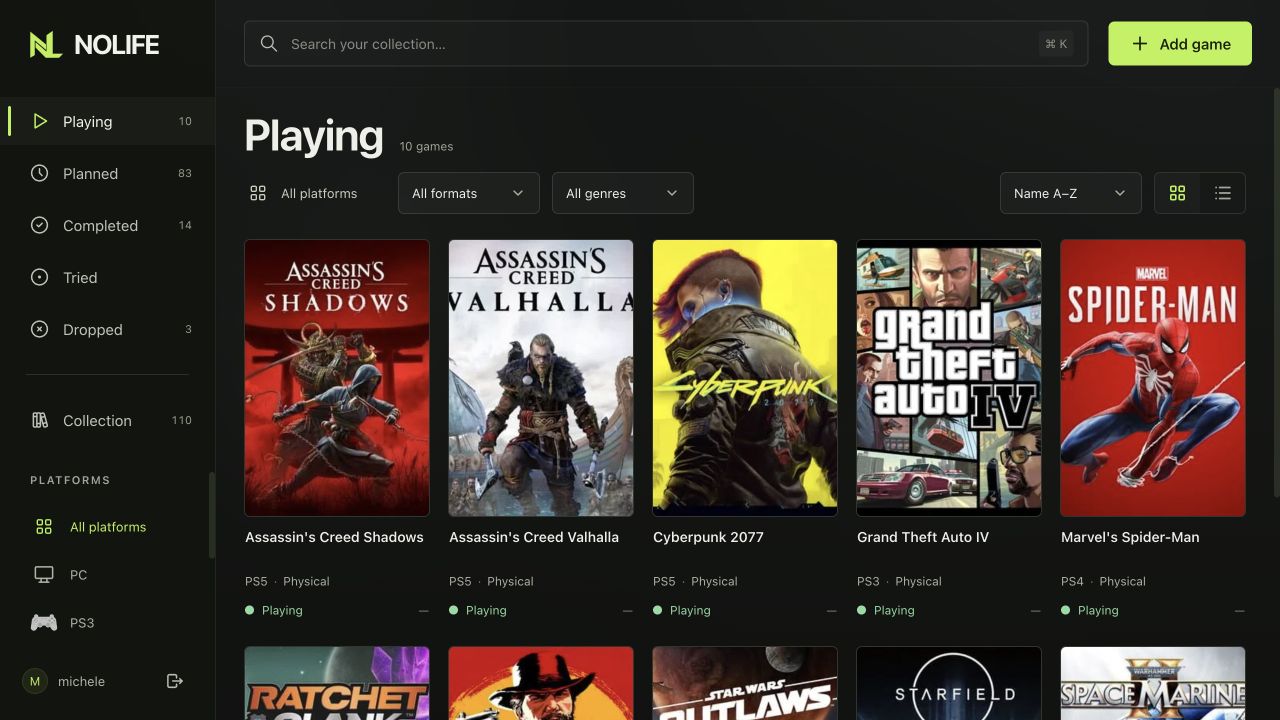
01 / THE LIBRARY
Browse your video game library by status, platform or genre. Keep physical and digital copies together, with search when you need it.
 View full size
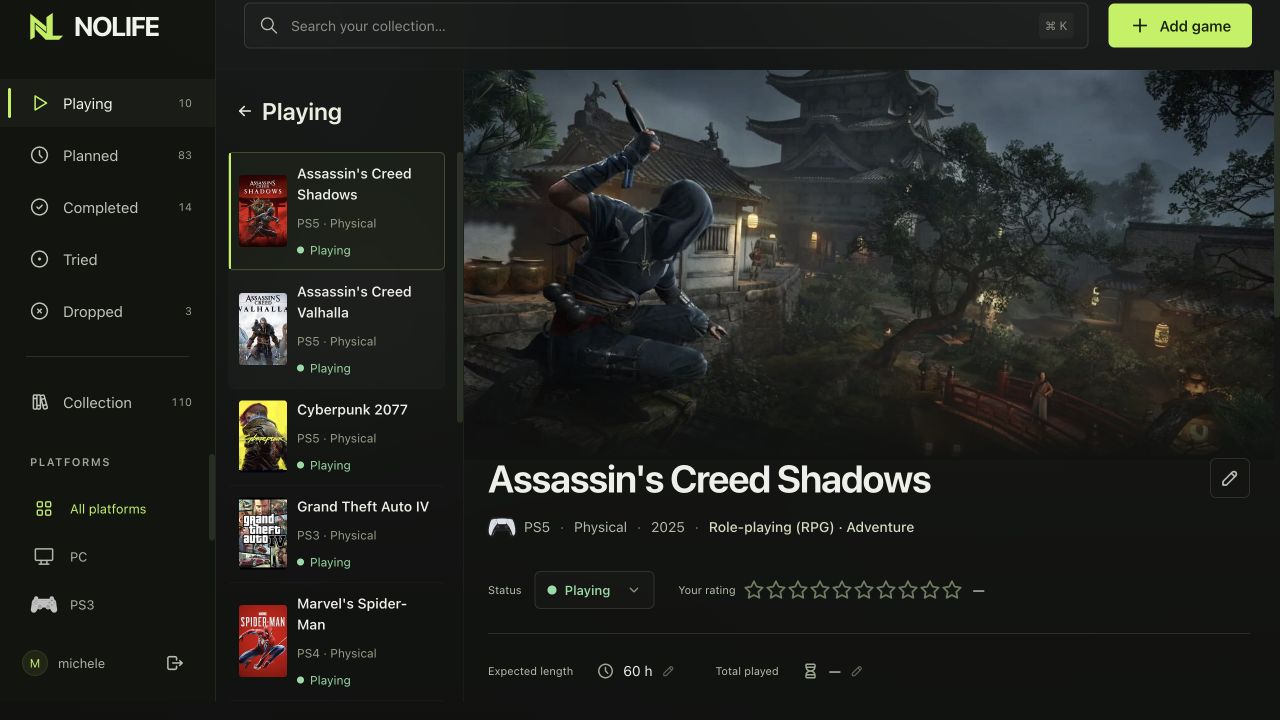
02 / GAME DETAILS
Keep track of what you're playing, what you've finished and what to play next. Record your rating and time played, check the expected length, and keep each copy's progress separate.
 View full size
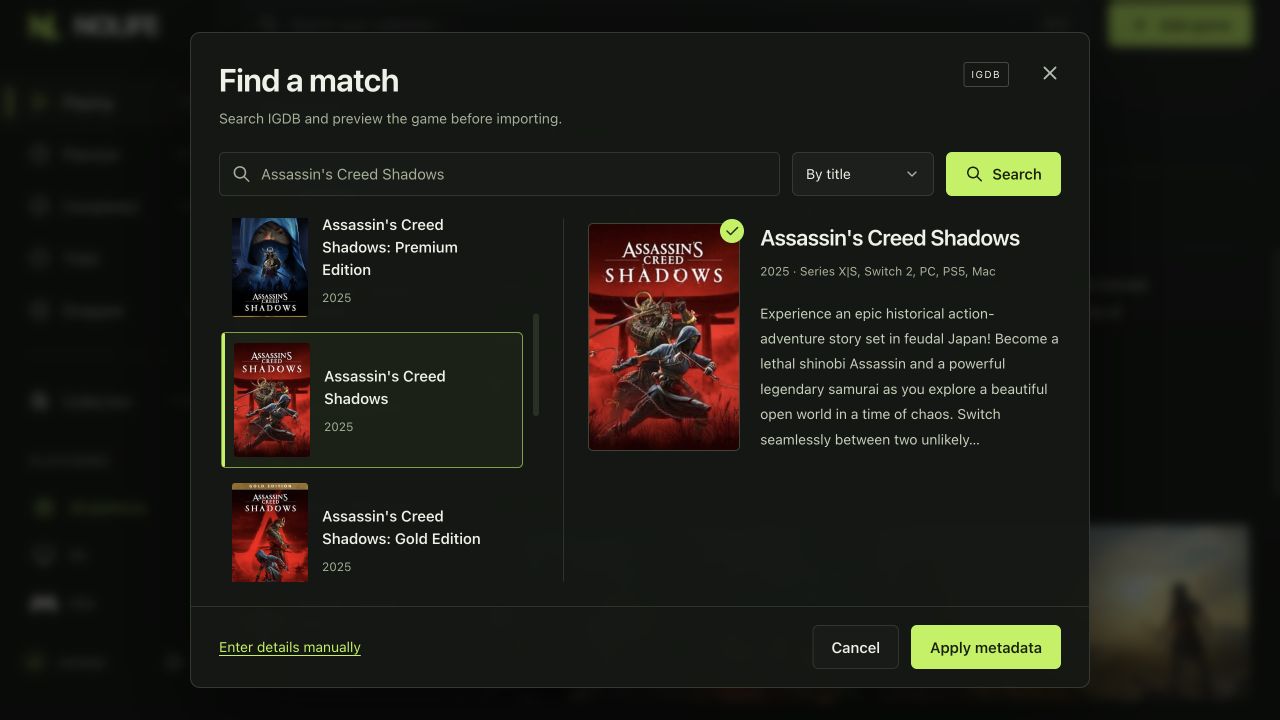
03 / IGDB METADATA
Search IGDB, check the match, then fetch the details and images. Your progress, rating and playtime stay yours.
 View full size
04 / STATISTICS
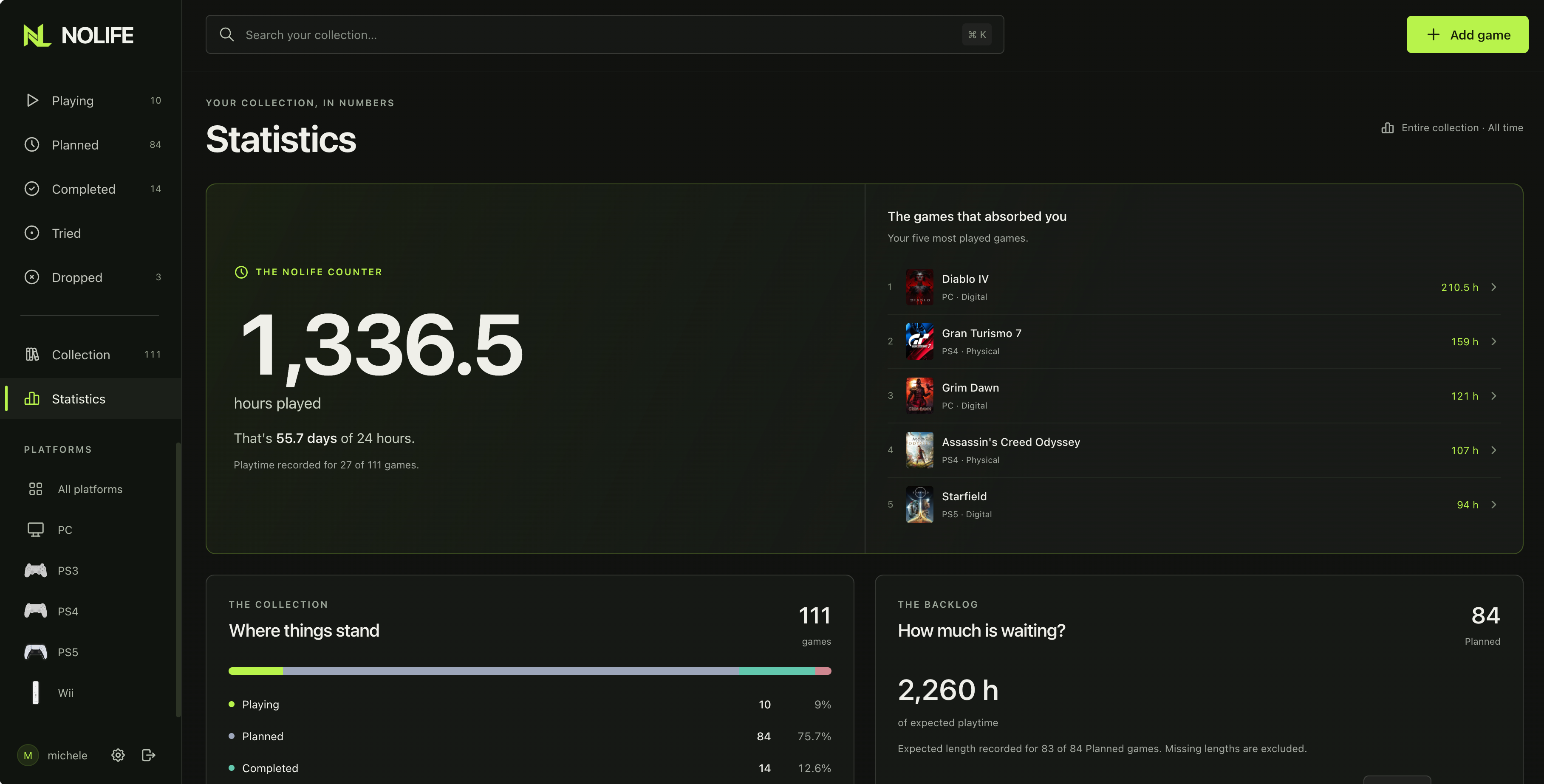
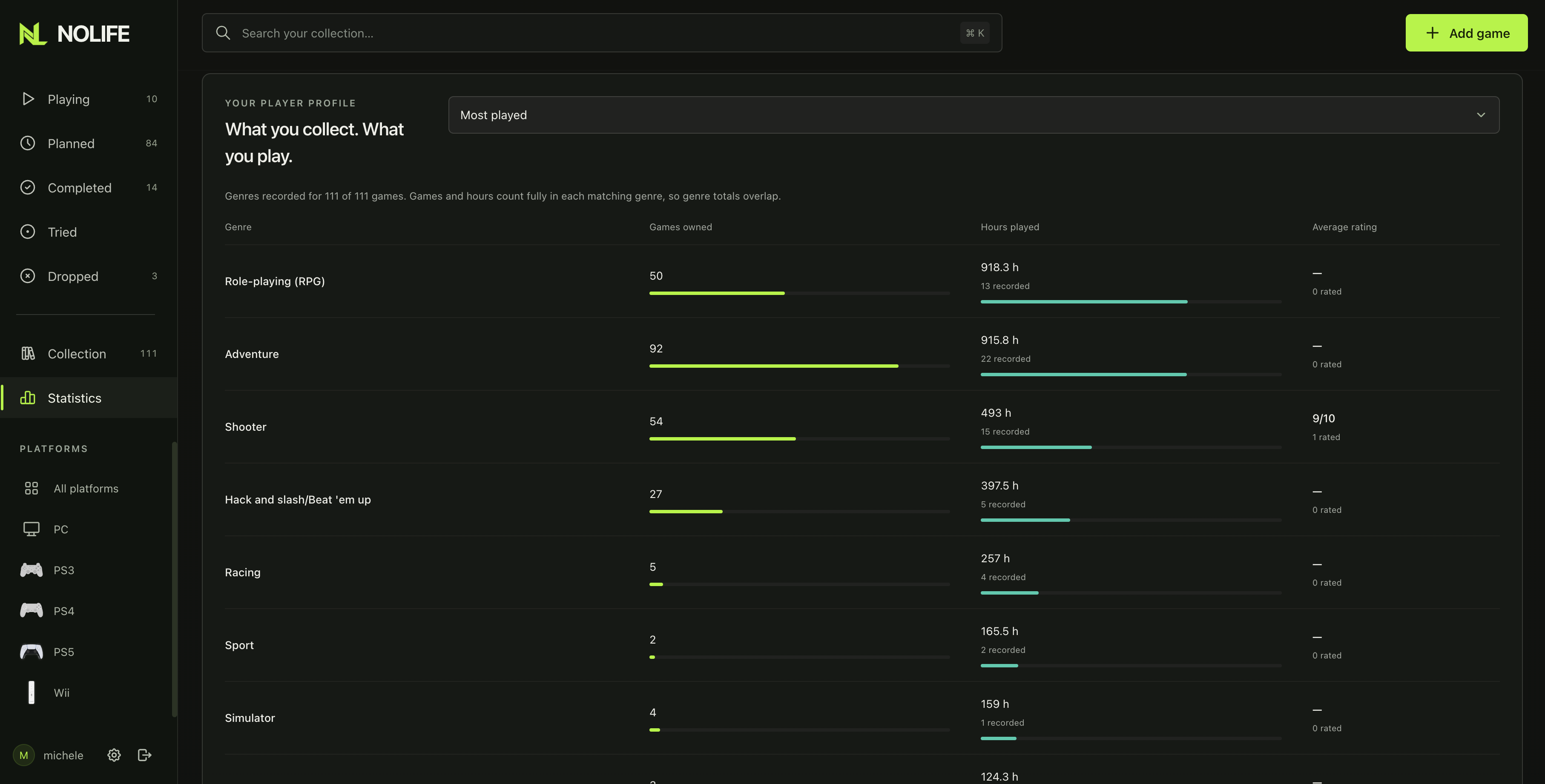
Total playtime, most-played games, collection status and estimated backlog hours. The genre view breaks down games owned, hours played and average ratings.
Screenshots from a personal collection.
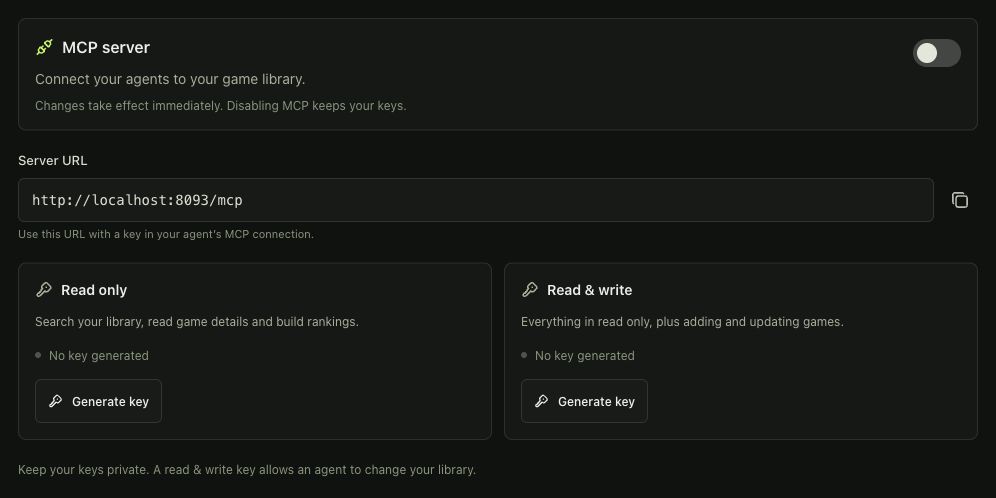
05 / MCP SERVER
Connect an MCP-compatible agent to your NoLife library. Ask it to find games, check your ratings and playtime, or list what you plan to play next. With a read & write key, it can also add games and update your progress.
Enable MCP in Settings and choose read-only or read & write access. MCP is optional and disabled by default.
MCP setup and tools
 View full size
06 / INSTALLATION
Install the published image with Docker Compose.
ghcr.io/metalogico/nolife:latest
Requires Docker Compose 2.24.4+
Full setup in the READMECreate a folder with compose.yaml and .env, using the configuration in the README.
Run docker compose pull, then follow the README to generate your app key and password hash. Set your username in .env.
docker compose up -d --waitThen open localhost:8093 on the Docker host.
07 / QUESTIONS
What to know before adding NoLife to your home server.
NoLife is an open-source, self-hosted game collection manager and backlog tracker. It helps you organize the games you own and keep track of your progress, personal ratings and playtime in a web interface.
Yes. Keep physical and digital copies in the same collection, browse by platform or genre, and track progress for each copy. Your Playing, Planned and Completed lists help you decide what to play next.
NoLife uses IGDB for game metadata and images. Search for a title, preview the match and import its details. Your own ratings, progress and playtime stay separate from the imported metadata.
Install the published container image with Docker Compose on your own server. NoLife is free and released under the MIT license. Follow the Docker installation steps and the full setup guide on GitHub.